This case study is password protected


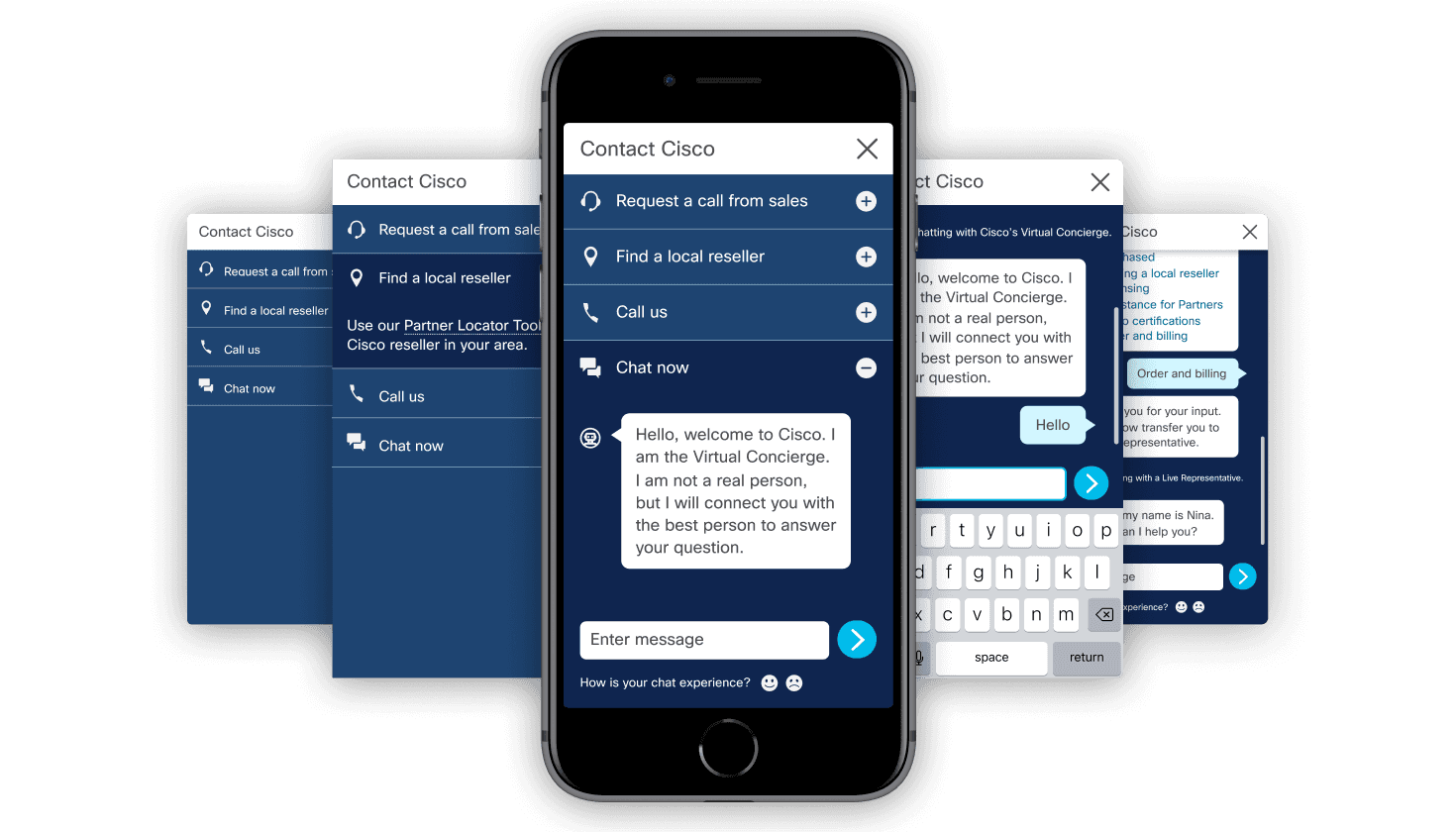
Context
On Cisco.com, customers and prospects have a lot of options for getting support: talking to a salesperson, reviewing support forums, or finding a local retailer. The Contact Cisco component — a collection of these contact options on each page — was responsible for the majority of buying actions on the website.
At the time, the IT team had just launched a basic chatbot on Cisco.com outside of the Contact Cisco component. Preliminary user testing had shown that the chatbot experience was valuable but disjointed, forcing users out of the browsing experience into a separate pop-up window.
Timeline
April - July 2019
My Role
As a new member of the Global UX team, I worked alongside a senior designer to produce wireframes and clickable prototypes, run live user testing, and complete visual QA to ship an MVP.
Tools
Sketch, Axure RP, Zeplin, UserZoom
Team
Design, User Research, Development, QA
Challenge
Based on the findings from the initial chatbot testing, we were tasked with integrating it along with all other contact options into a more cohesive, robust Contact Cisco component.
Given the significant potential impact of this update, we needed to have a working prototype ready for user testing at the upcoming Cisco Live trade show in June — just 2 months away.
01
Discovery
Understanding current state
The existing Contact Cisco component was a basic dropdown menu with a list of contact options that varied based on local call center hours and what options were offered in the user's location/language.
For the chatbot, we knew that users were interested in engaging with it, but it appeared in a separate, disjointed pop-up window with outdated styling. We spent some time testing out the existing functionality and understanding technical requirements.
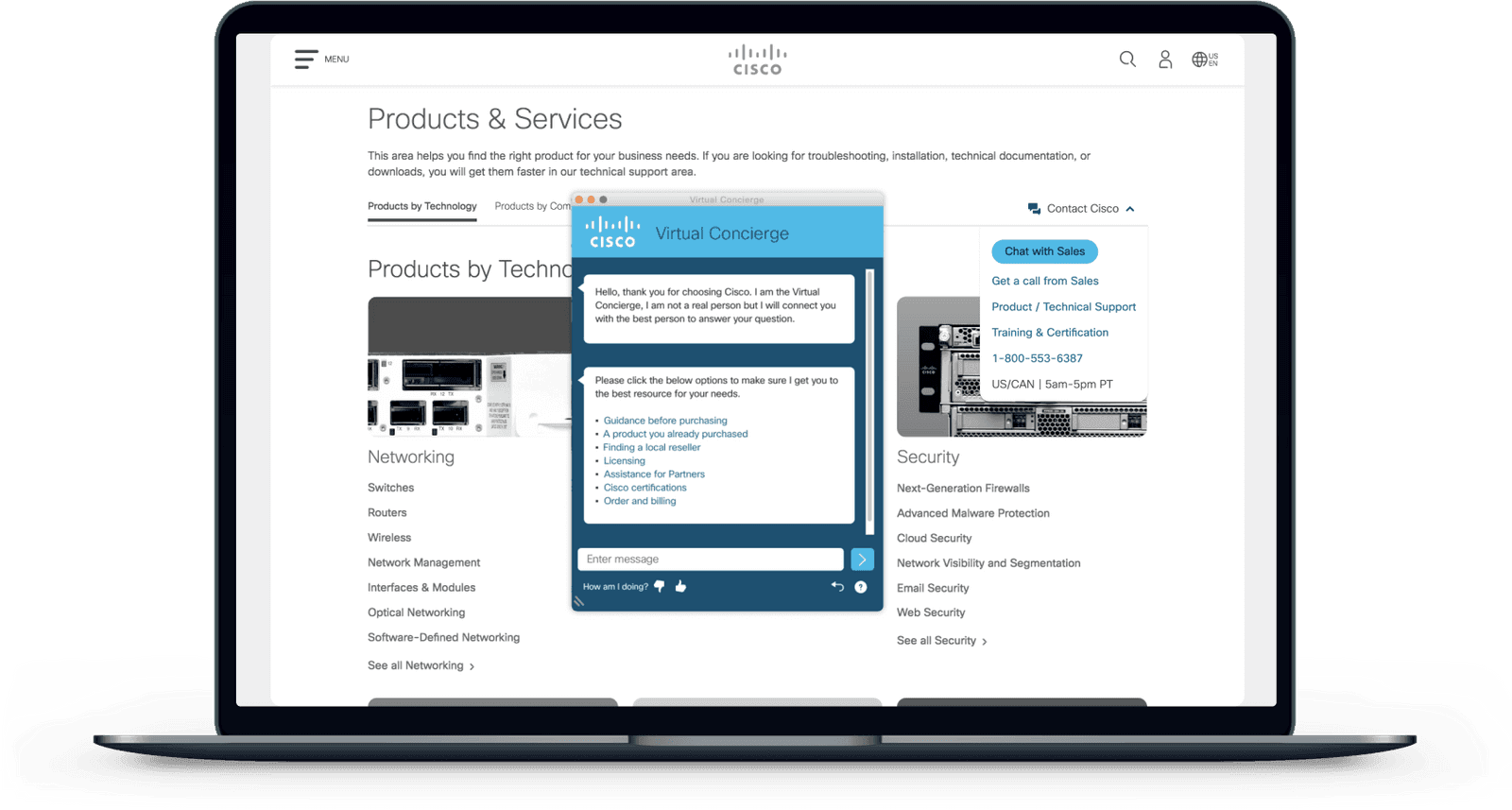
Competitive analysis
Based on our requirements, I started out by looking at direct and indirect competitor chatbots, such as IBM and AppDynamics, to understand industry standards and best practices. I took notes on placement, iconography, responsive design, and interactions.
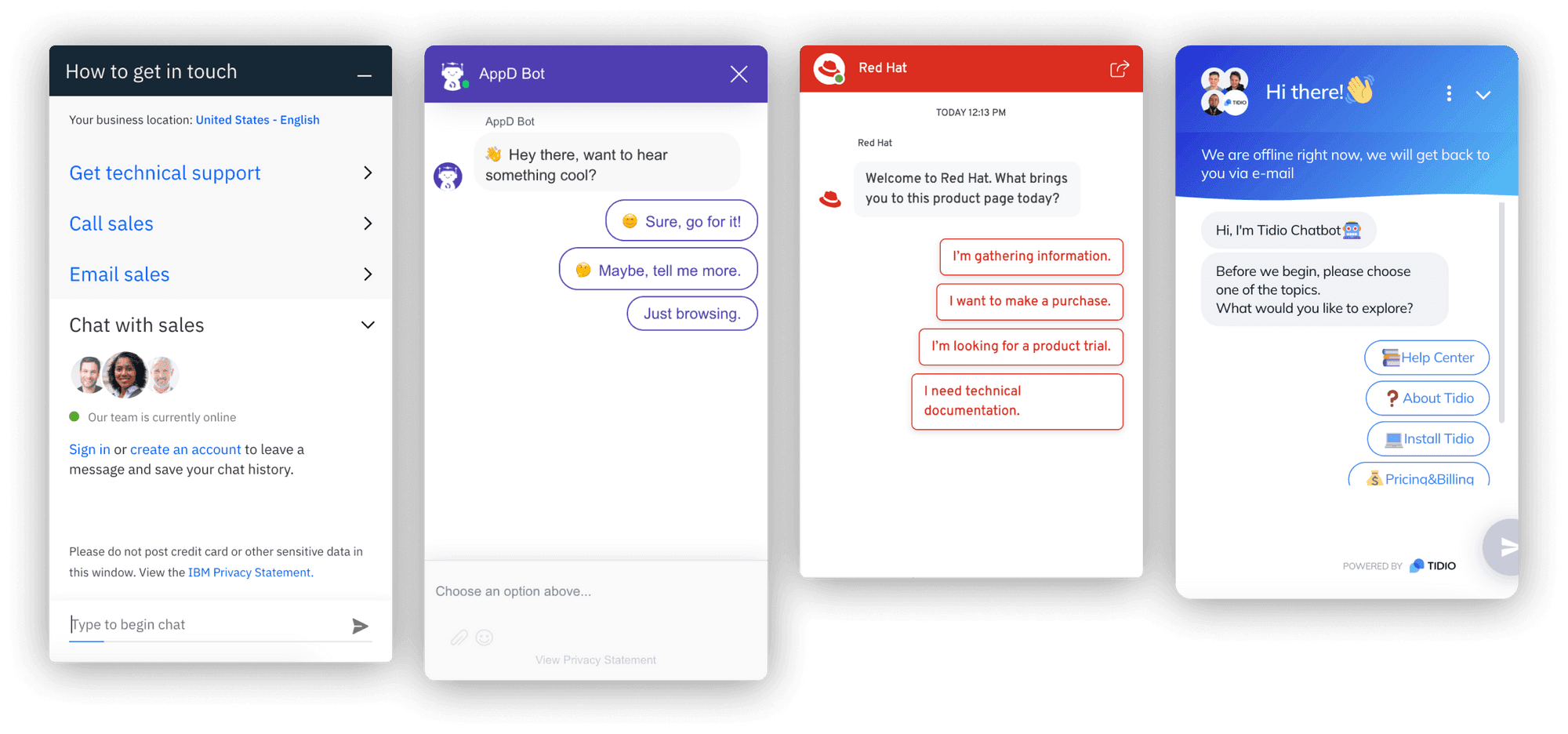
02
Design
Rapid ideation
Based on competitive analysis and our requirements, I worked with two other designers to start sketching out ideas and experimenting with our existing patterns to determine:
How to more clearly communicate the contact options
Potential ways to handle different contact options depending on the user's language, region, and time zone
Visual patterns based on the existing design system
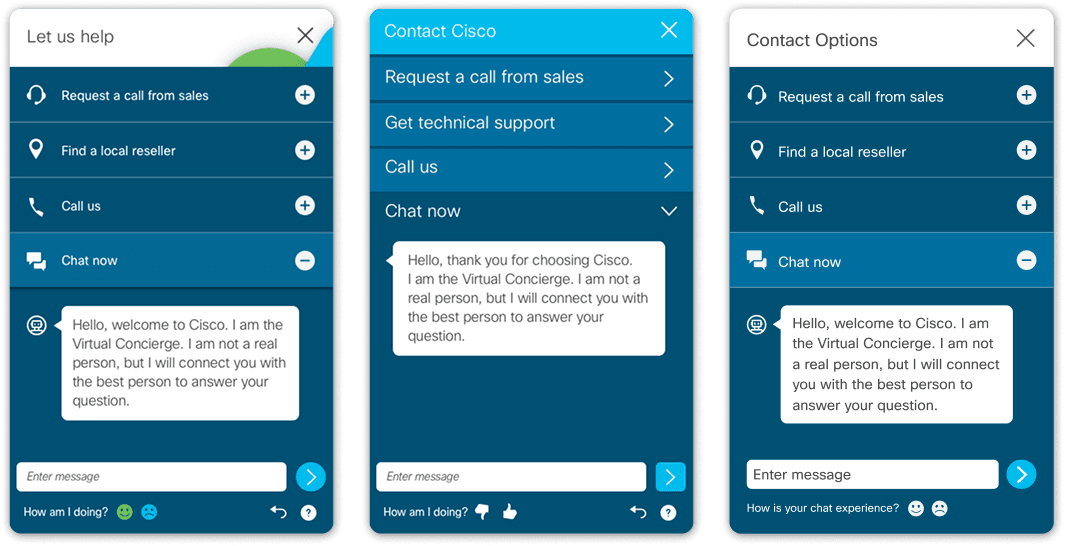
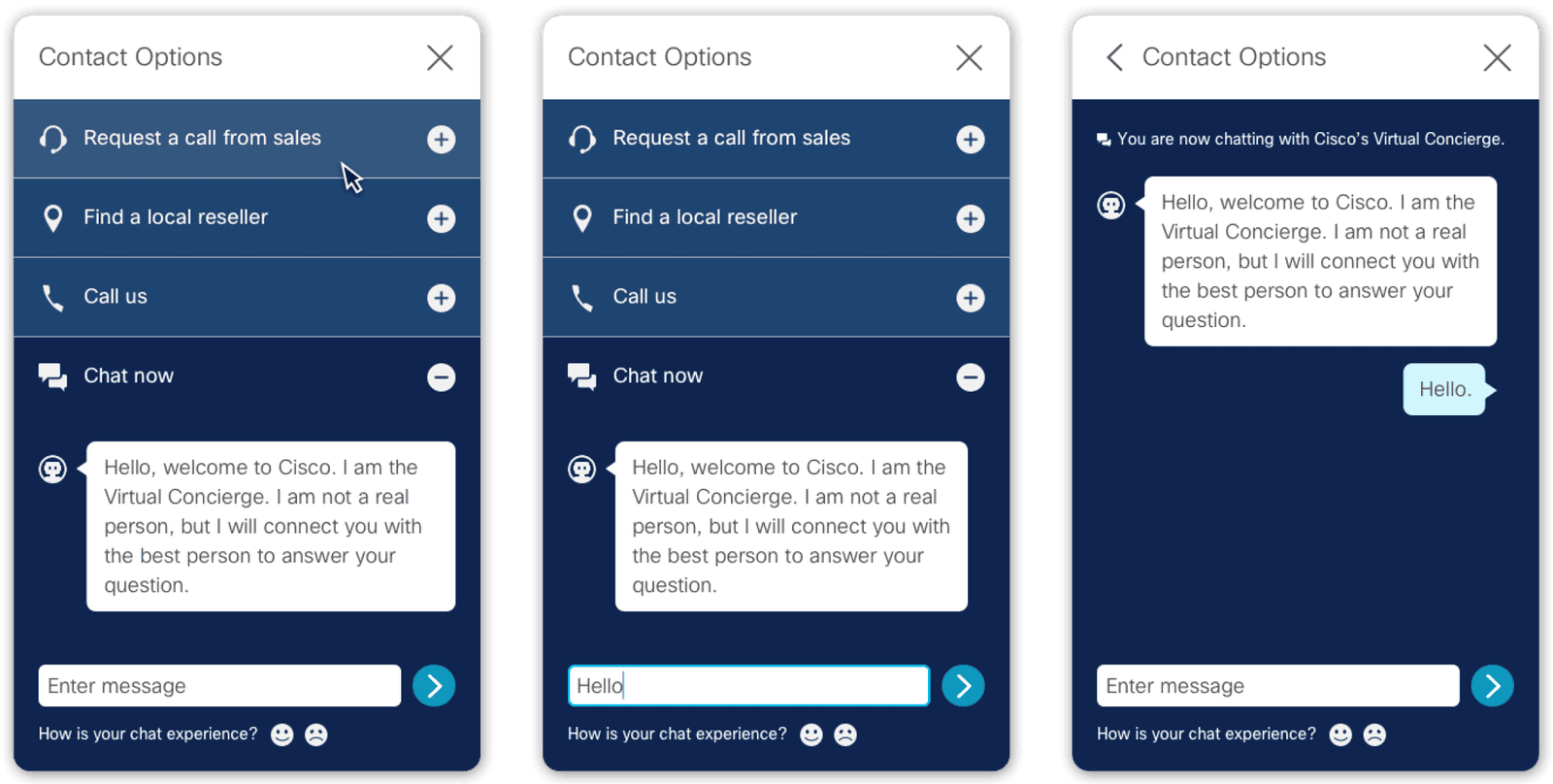
Navigating chatbot functionality and a surprise rebrand…
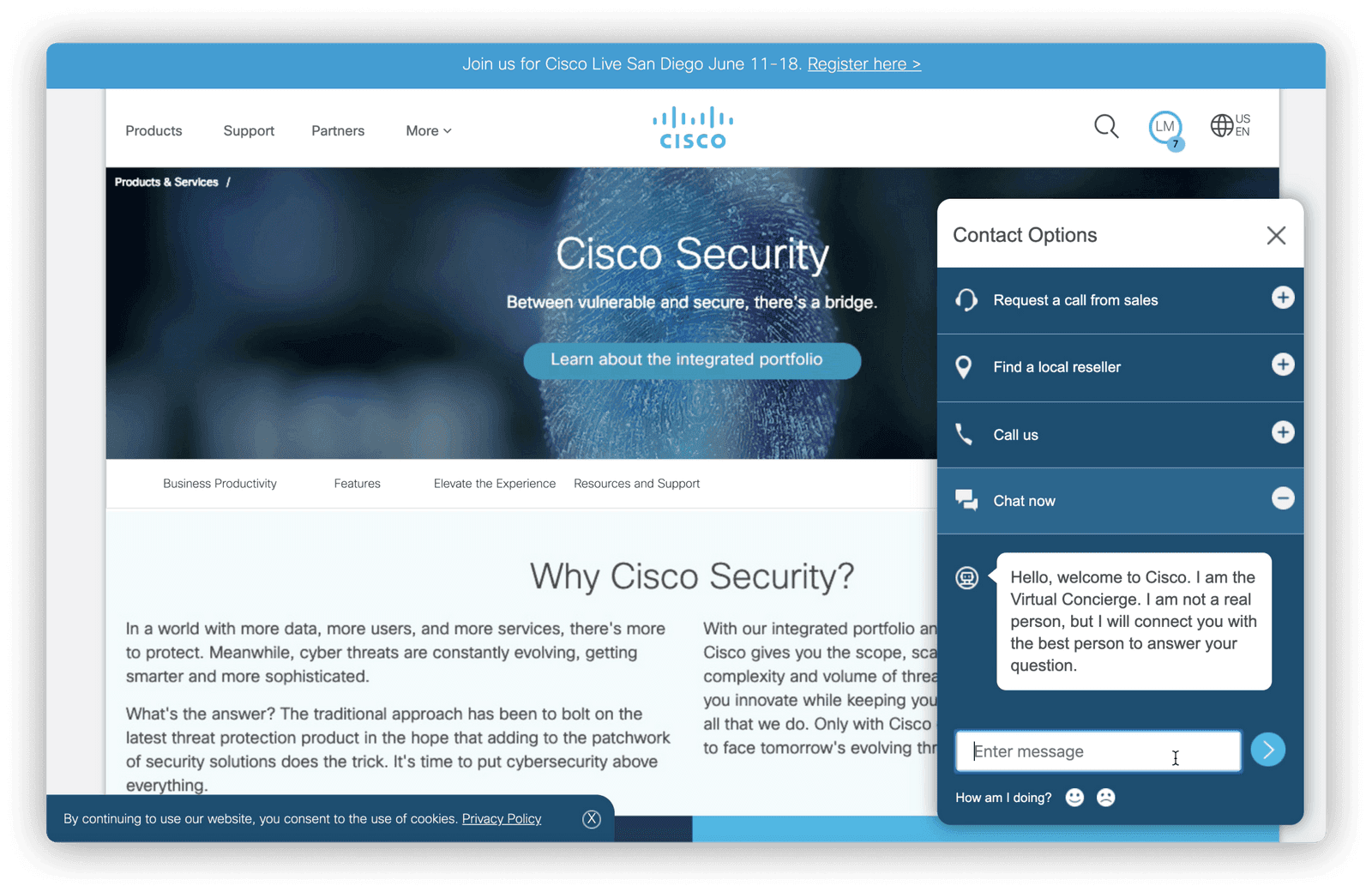
The main challenge of this project was to determine the chatbot's functionality and interactions. After some tinkering, we decided to expose the chat window by default, welcoming users to engage with that option first. From there, they could:
Chat with the Virtual Assistant
Get routed to a live representative
Minimize the chat while they continued browsing
Provide feedback on their experience
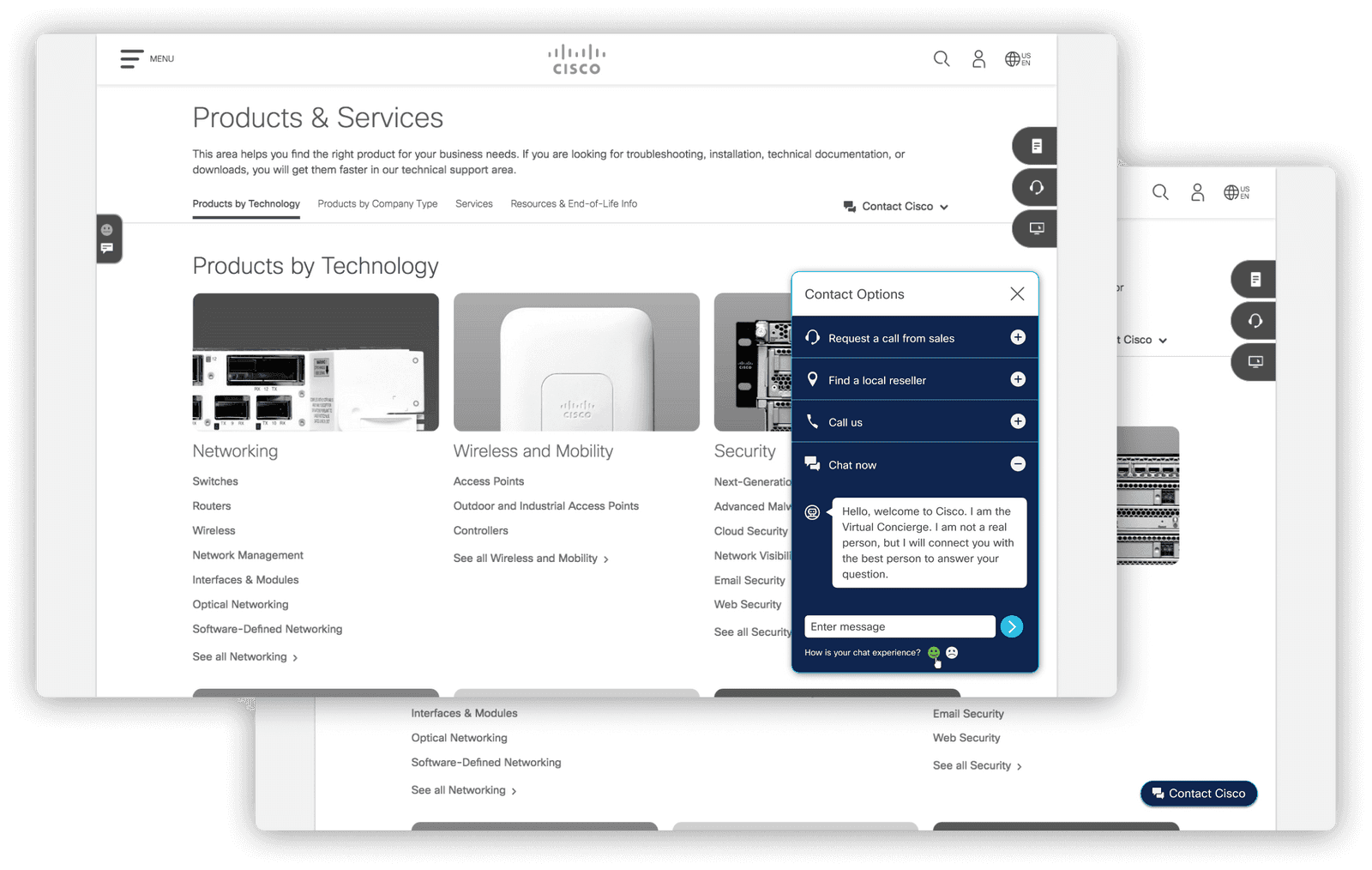
Then we learned that Cisco's brand team was releasing an updated color palette. We quickly began experimenting with the new colors in our designs while waiting for the finalized design system updates.
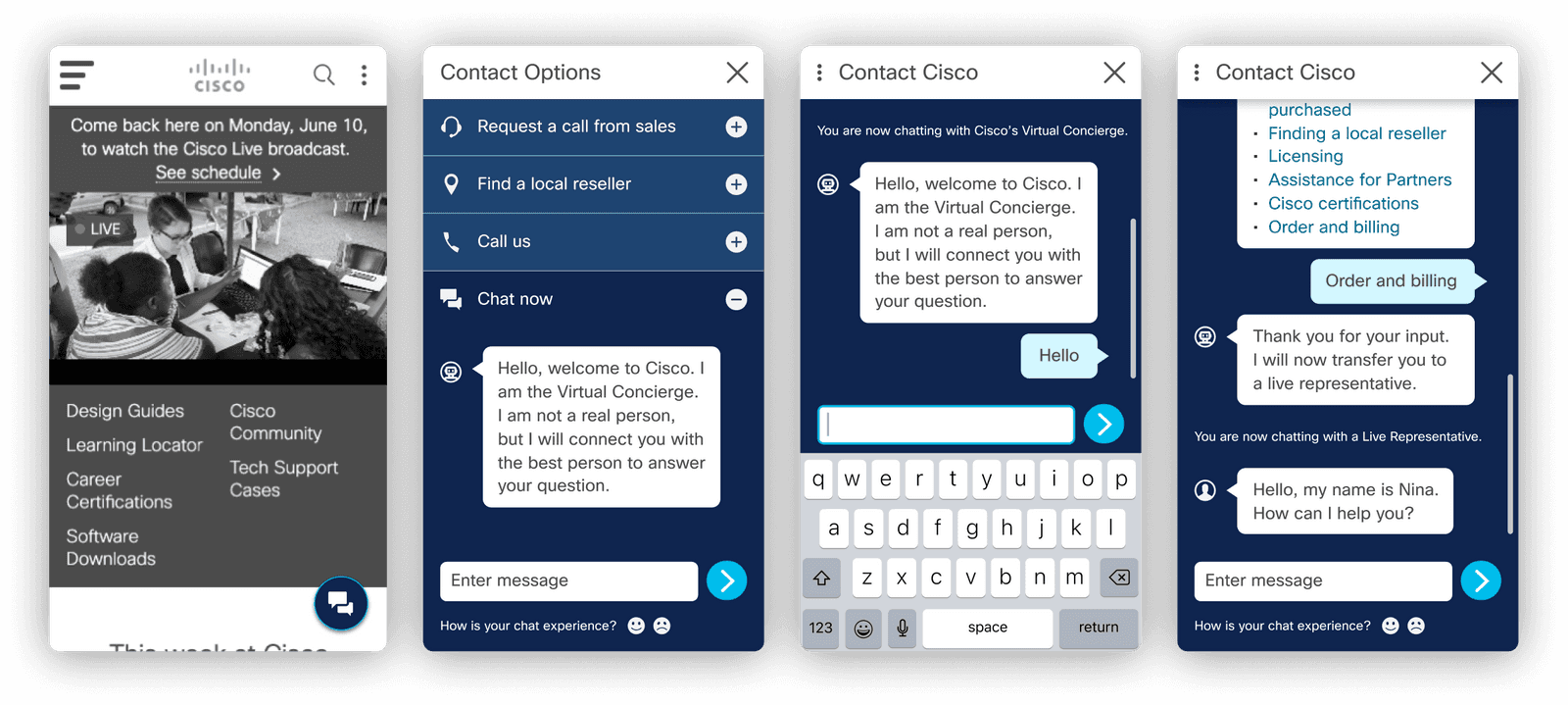
Mobile considerations
While the modular design translated well to smaller screens, we carefully considered specific mobile requirements. We adjusted the floating chat bubble (visible on load and when minimized) to avoid taking up too much screen space and tested out native mobile keyboard interactions.
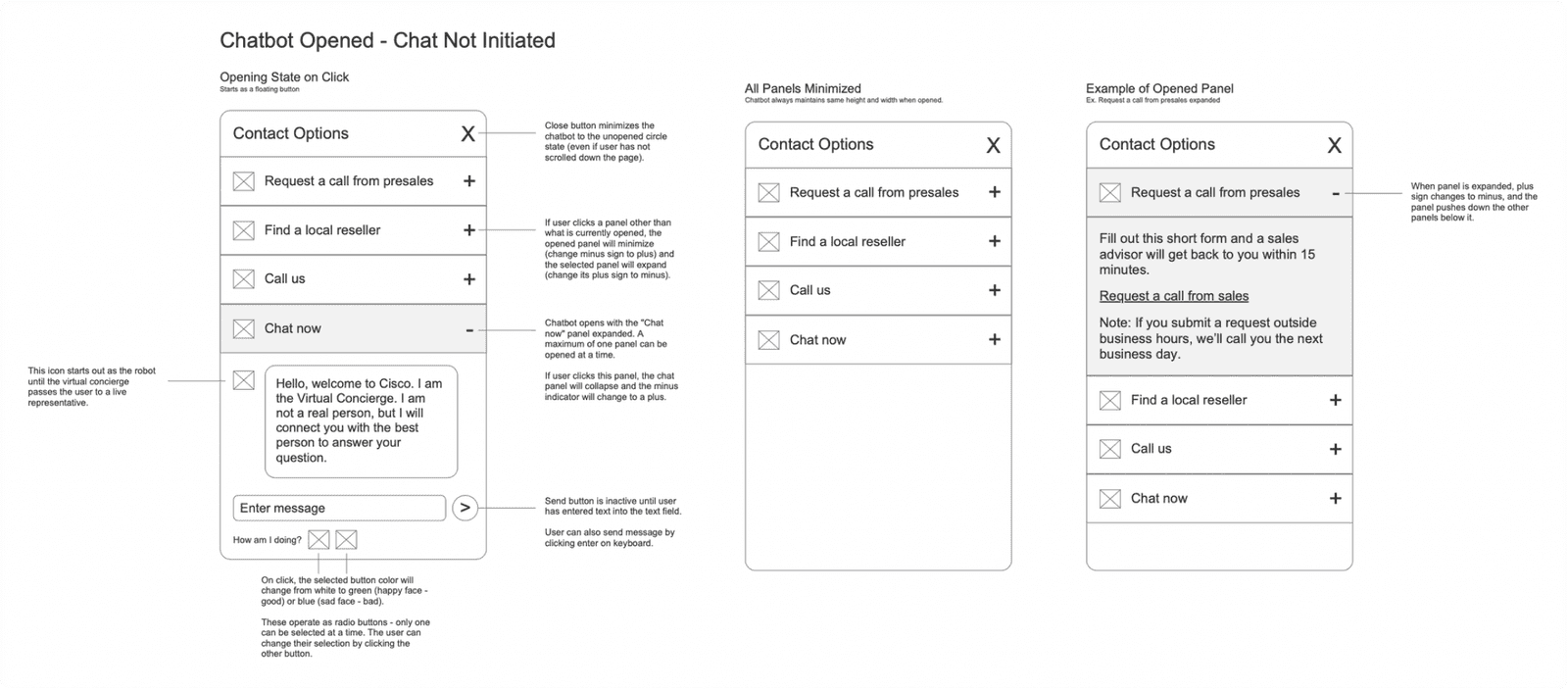
Agile HTML prototype development
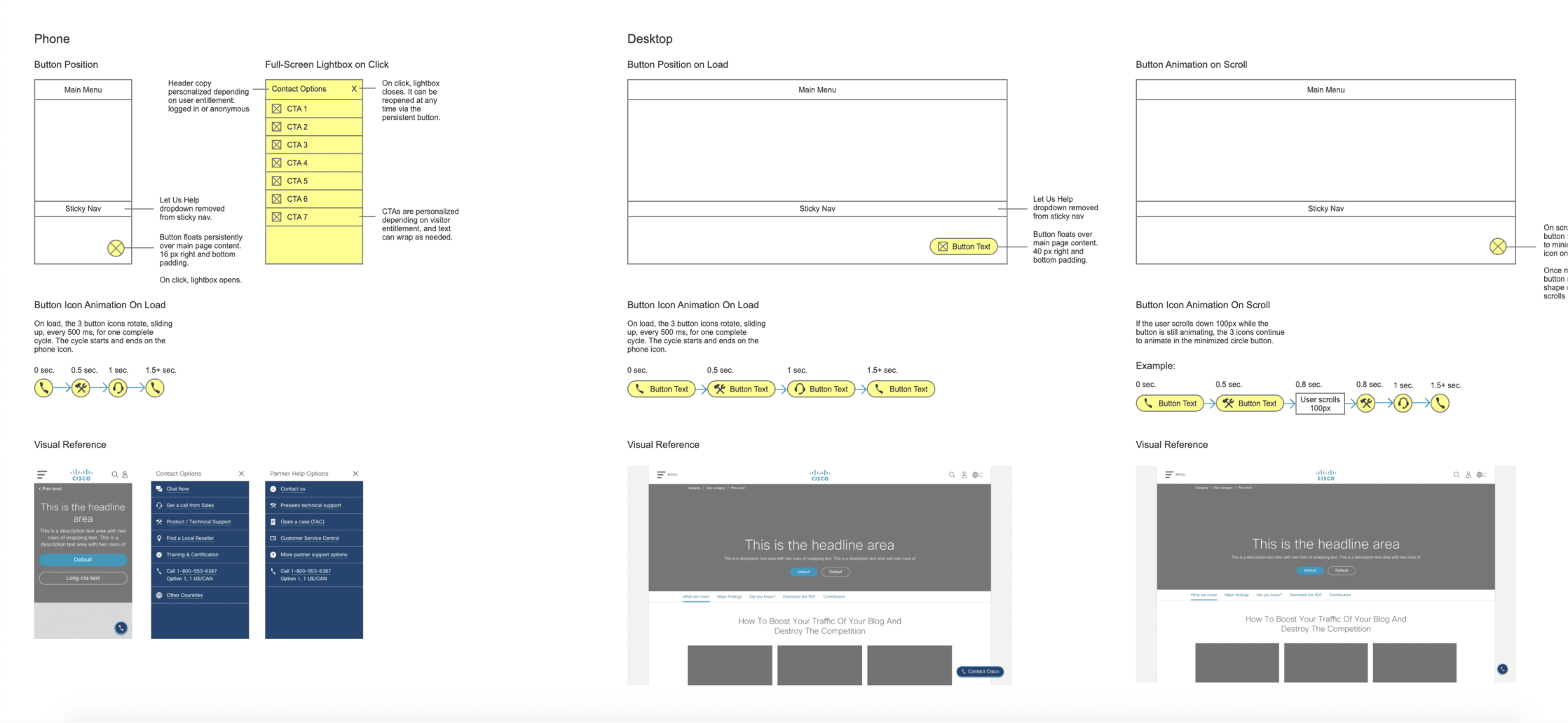
Given our tight timeline to get a working prototype ready for testing at the upcoming trade show, we adopted an agile workflow with our development team, passing design updates to them incrementally as they built out an HTML prototype. I created detailed, annotated interaction maps to clearly communicate expected design and functionality, and minimize rework.
03
Testing
Bringing our prototype to Cisco Live
After some back-and-forth with our development and user research teams, we hit our first milestone: Get a working prototype up and running in time for the Cisco Live trade show.
Rather than building out a fully functional chatbot, the lightweight prototype had been programmed so the Virtual Assistant could answer a few common questions. For testing, we would give users pre-set tasks that the chatbot could help with.
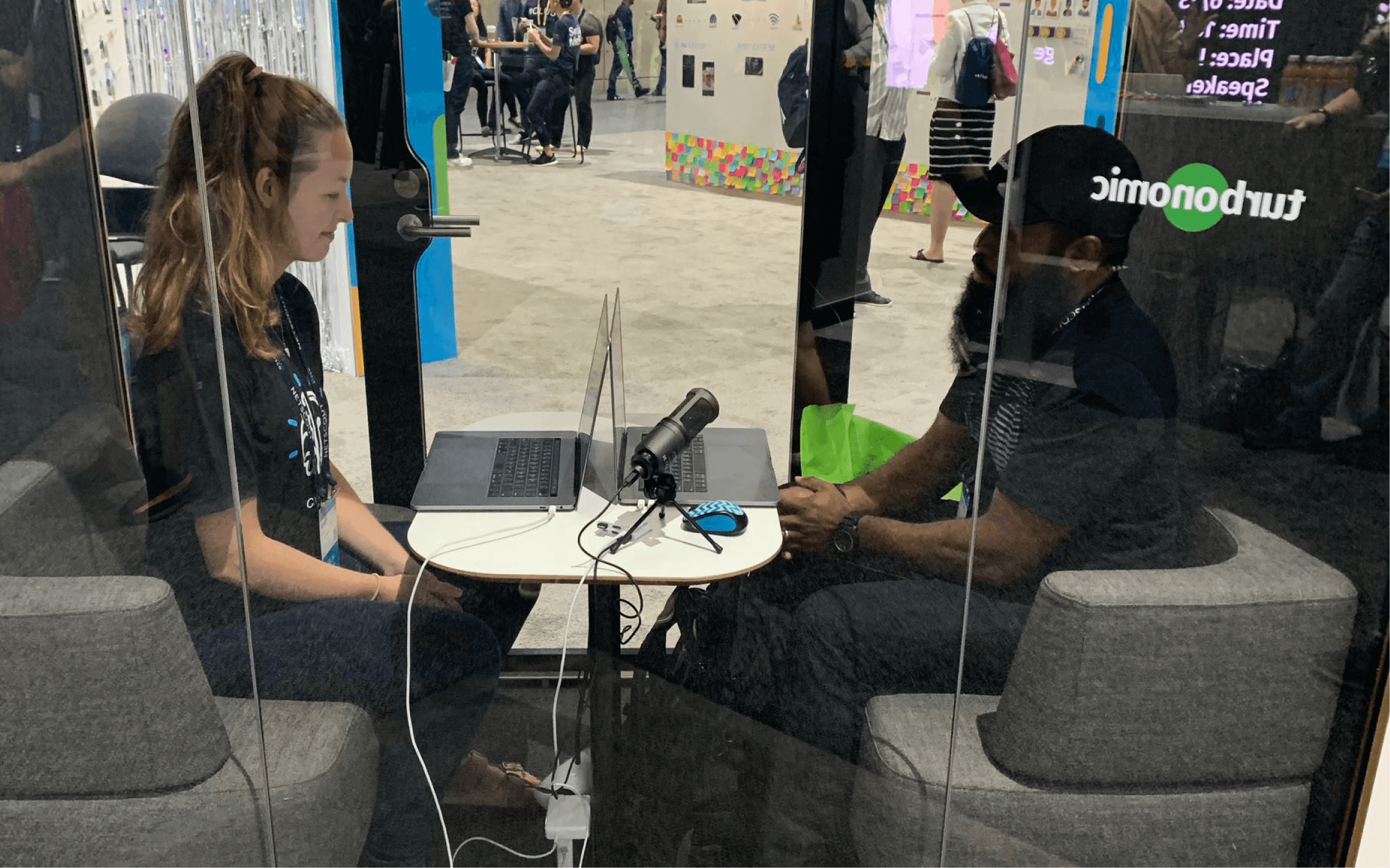
Along with a few members of our design and research team, I flew to San Diego for a week of interviewing customers and testing out several of our top new features.
Live interviews with customers
Over the week, I conducted 10+ rounds of 15-minute customer interviews about the updated contact component, asking for feedback as they engaged with the prototype.
Overall, users loved that the chatbot could instantly help them accomplish tasks. We saw an increase in user satisfaction with the integrated chatbot modal compared to the existing experience, and found that users were still able to locate the core Contact Cisco links — a key business requirement.
04
Implementation
Slimming down to an MVP
Based on the positive feedback from user testing, we got the green light to move forward with the redesigned Contact Cisco component. There was only one problem: the chatbot logic.
Given the quick turnaround of our initial prototype, the logic for the chatbot was far from complete. In the meantime, leadership decided to A/B test a minimum viable product: updating the Contact Cisco component UI and placement — without the chatbot integration.
05
Launch & Outcomes
MVP implementation
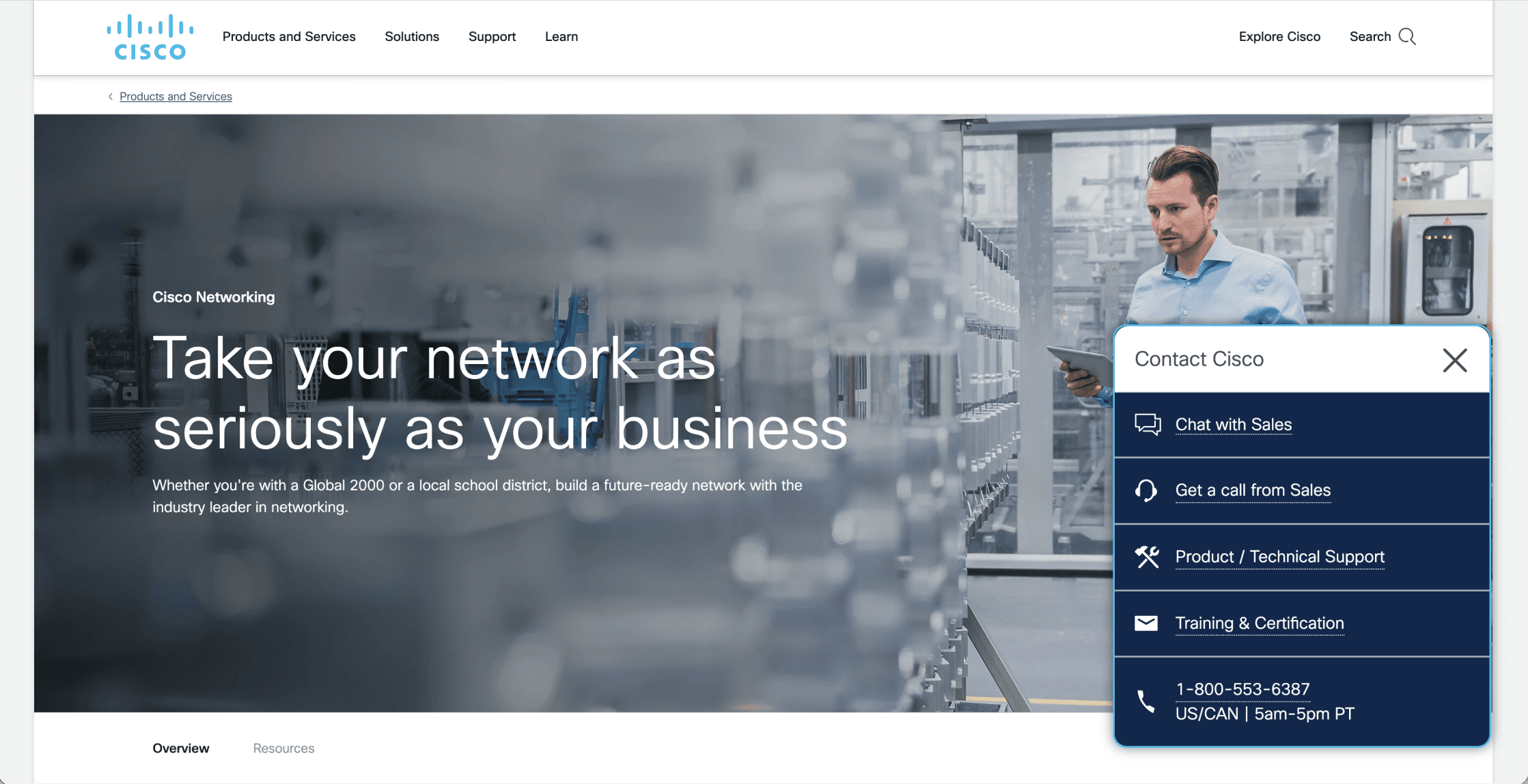
The MVP component update was piloted as an A/B test on Cisco’s Small Business pages in Europe and the US to understand if this change would have an impact on user engagement. Unsurprisingly, we saw minimal impact without the chat functionality — the core functional update for our users.
With changes in leadership and shifting priorities, our team was ultimately unable to continue iterating and testing the chatbot integration. Although we didn’t get to see the project through, the MVP experience did become part of Cisco’s component system and was implemented on hundreds of product pages across Cisco.com.
06
Retrospective
This component redesign was one of my first projects with Cisco’s Global UX team. For me, it served as a crash course in component development, live user testing, and design-to-development handoff.
It's always heartbreaking to work hard on something that doesn't make it across the finish line, but that's part of doing business and shipping products. Not everything makes it to production — priorities shift, effort is miscalculated, differing opinions shift the conversation. While I wish I could say our chatbot made it to Cisco.com, I am proud of our fast iteration, close collaboration with development, engaging user research, and ability to adjust quickly to ship an MVP.
What went well
Agile collaboration with development to complete a testable prototype in time to run live user testing
Seamless navigation of an unexpected color palette update
Close creative collaboration and fun ideation with fellow designers
What I’d do differently
Gain a better understanding of the level of effort it would take to implement the chatbot logic early on
Ensure leadership buy-in from the start
Request more visibility into the A/B testing timeline and success metrics — without the chatbot, I'm not surprised the MVP didn't have much impact