This case study is password protected

Context
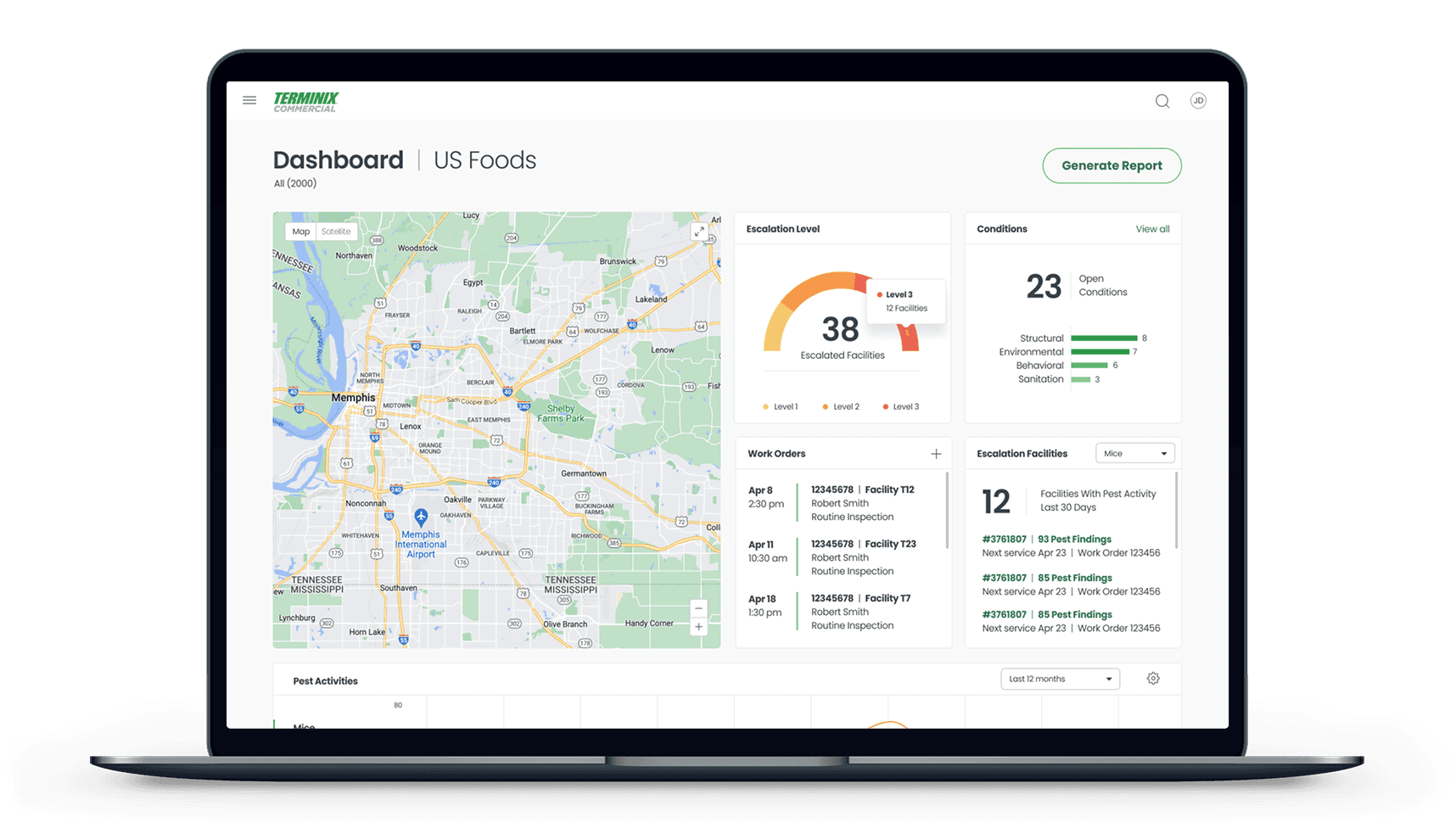
Busy business owners don't want to think about pest control — they just want to know their properties are protected. As one of the largest commercial pest control providers in the US, Terminix was looking to improve their commercial web app (RapidTrax) to better serve businesses of all sizes, from local mom-and-pop shop to nation-wide chains.
Over an 8-week engagement, I worked alongside one other design consultant to establish a relationship with the new client team, understand their business and user needs, and pitch an upleveled app design that would better serve user needs.
Timeline
January - March 2022
My Role
Tools
Figma, Miro
Team
UI Designer, Terminix Product Managers
Challenge
The existing web app was visually outdated, challenging to navigate, and primarily designed with their largest national accounts in mind — ignoring the needs of small mom-and-pop businesses that made up 75% of Terminix’s commercial accounts.
We were brought in to visually update the application, as well as identify opportunities to simplify the experience for core user groups.
01
Discovery
Understanding current state
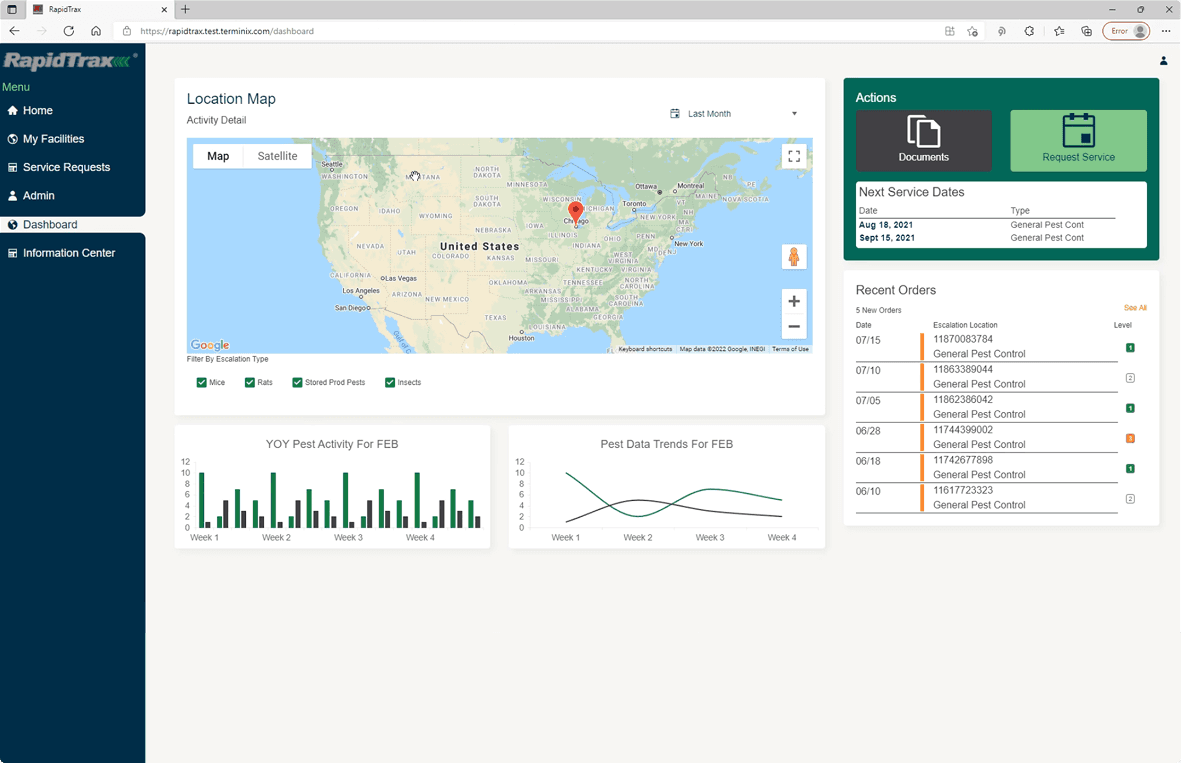
We kicked off this project with a walkthrough of the existing commercial portal, RapidTrax. The application was designed to allow customers to monitor and manage pest activity across one or many facilities, and keep tabs on their pest control service orders.
I spent time building rapport with the new client team, working to understand past decisions and their hopes for the future state. They acknowledged that the limited interface wasn't making it easy for users to quickly understand and address problems — especially their underserved small business audience.
Competitive analysis
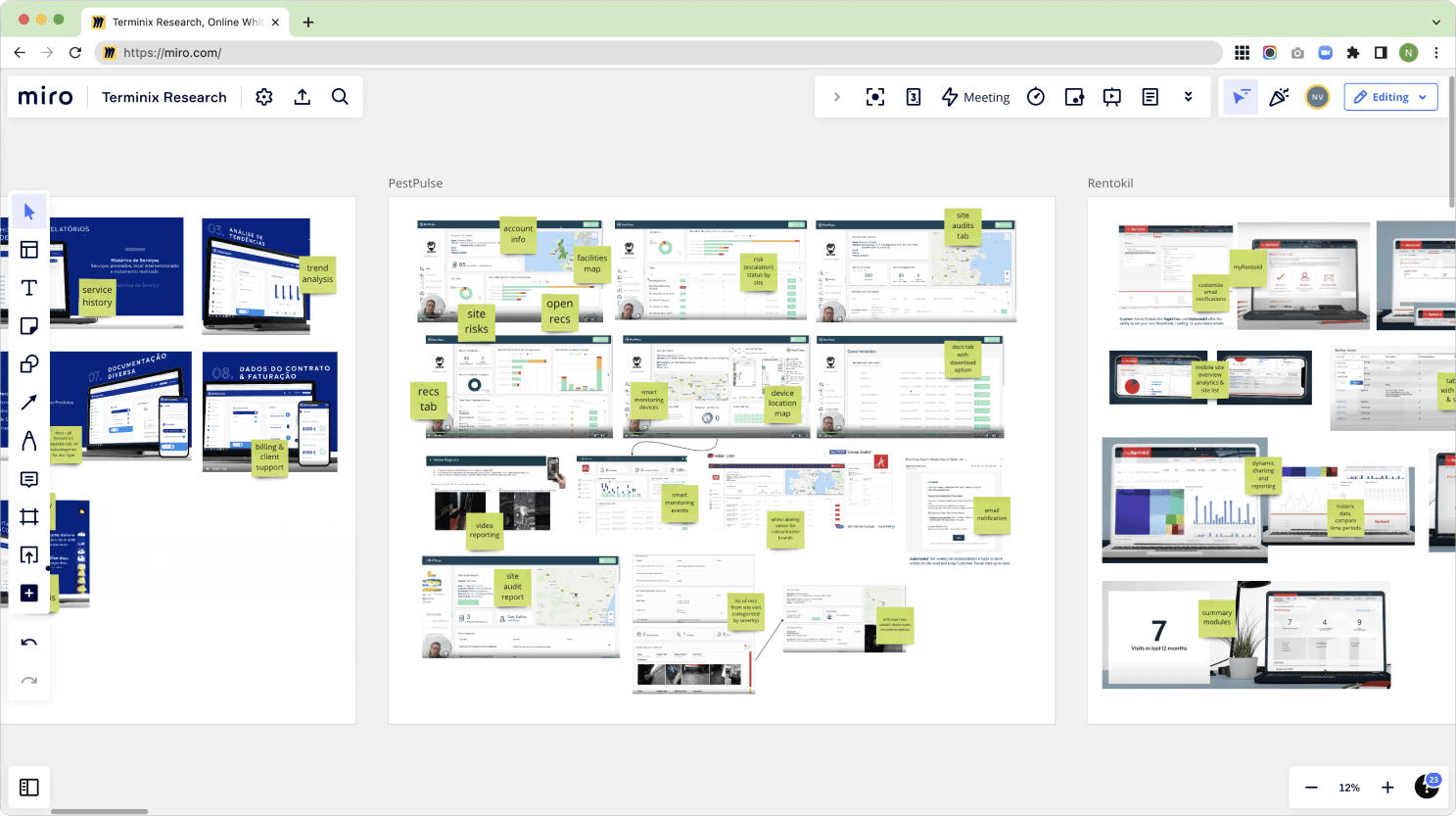
As we worked to define the scope of the engagement, I started digging into existing research. I pieced together insights from previous studies and analyzed competitor applications to better understand the pest control industry, user needs, and potential opportunities.
Visual inspiration
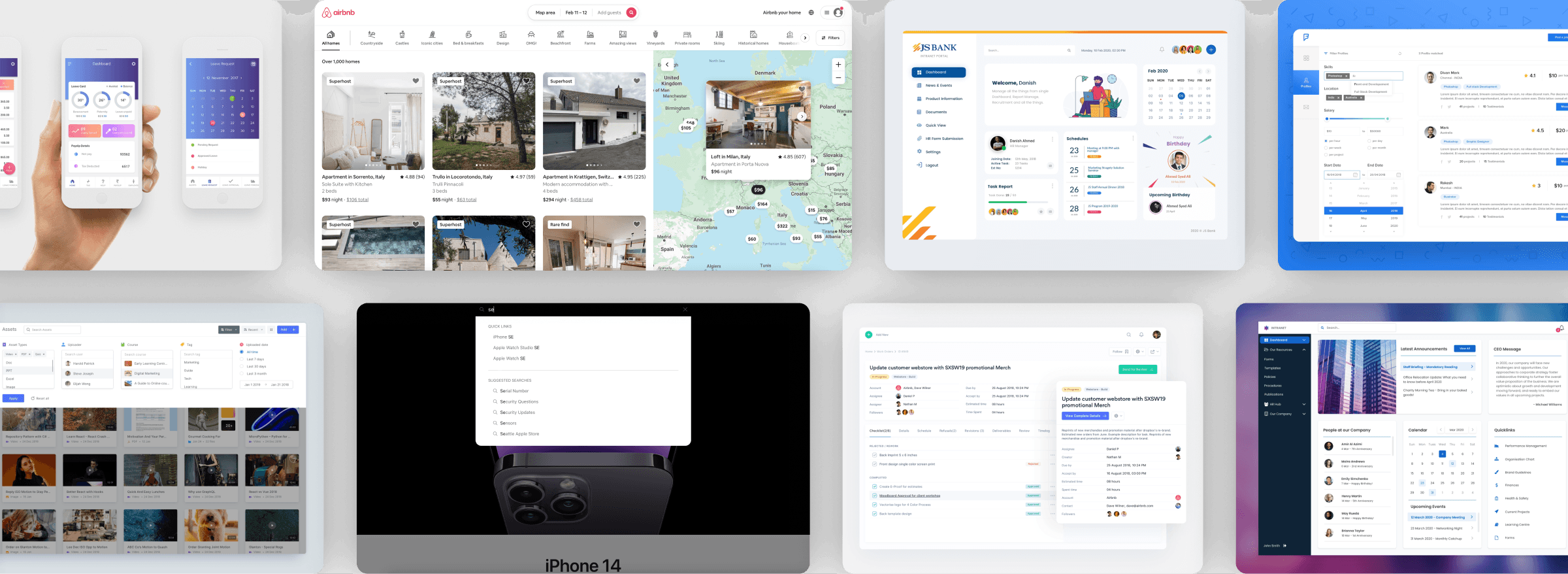
With a broader understanding of the competitive landscape, we also created a visual design moodboard. We drew inspiration from the likes of Apple, Airbnb, and YouTube.
Across the board, we hoped to create more breathing room to help users complete their tasks without becoming overwhelmed by the interface. We shared samples from this visual research with the Terminix team to ensure alignment and build excitement as we planned to implement sweeping visual updates.
User research
Through conversations with the client, we realized they didn't have a complete picture of how user needs might vary between user groups. I advocated to include user interviews in our discovery phase, focused on better understanding their three core users:
National enterprises: customers with many facilities, e.g. Walmart
Small businesses: customers with only one or a few facilities
Account representatives: Terminix employees who used the platform to help customers proactively identify and address issues
Given our time constraints, we couldn't get direct access to commercial customers. However, we could talk to their account representatives. Over one week, we conducted five 30-minute interviews with these subject matter experts to better understand each core user group.
02
Synthesis
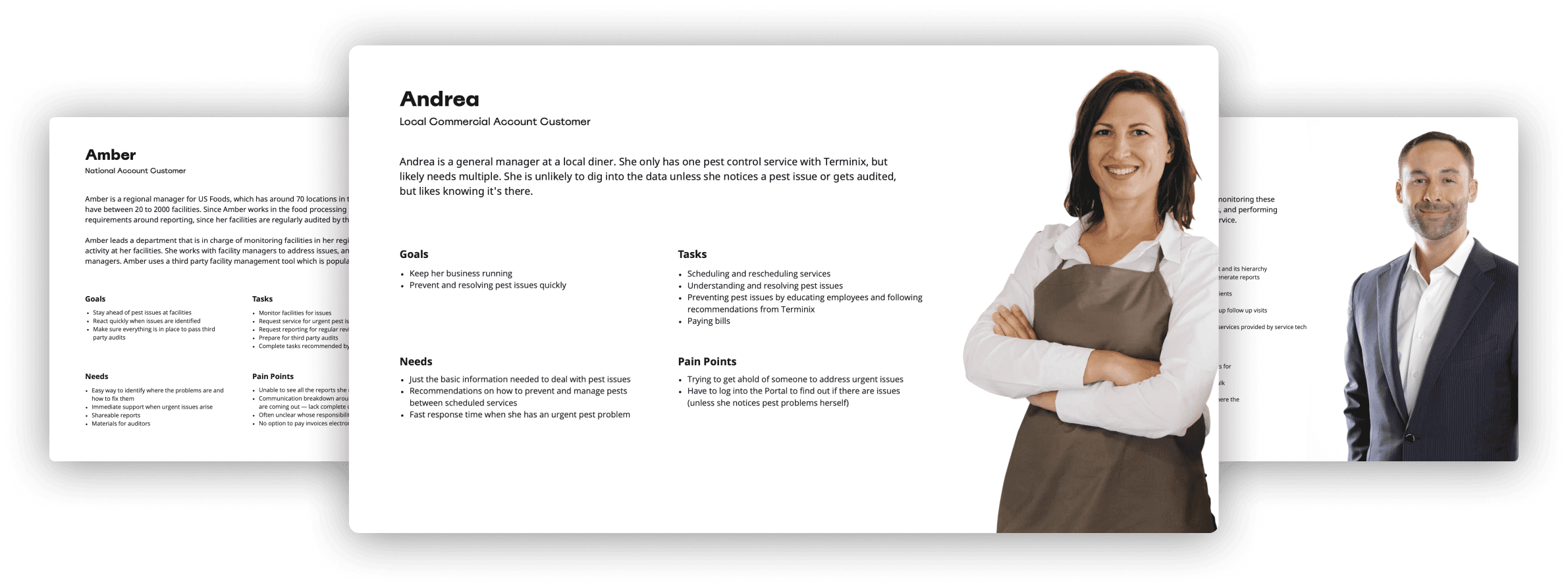
Refining personas
Based on our interview findings and existing research, we consolidated our insights into a set of personas and user journeys. Across the board, we found that users were struggling to sift through data and identify action items. However, each user group also had their own unique needs.
Simplifying information architecture
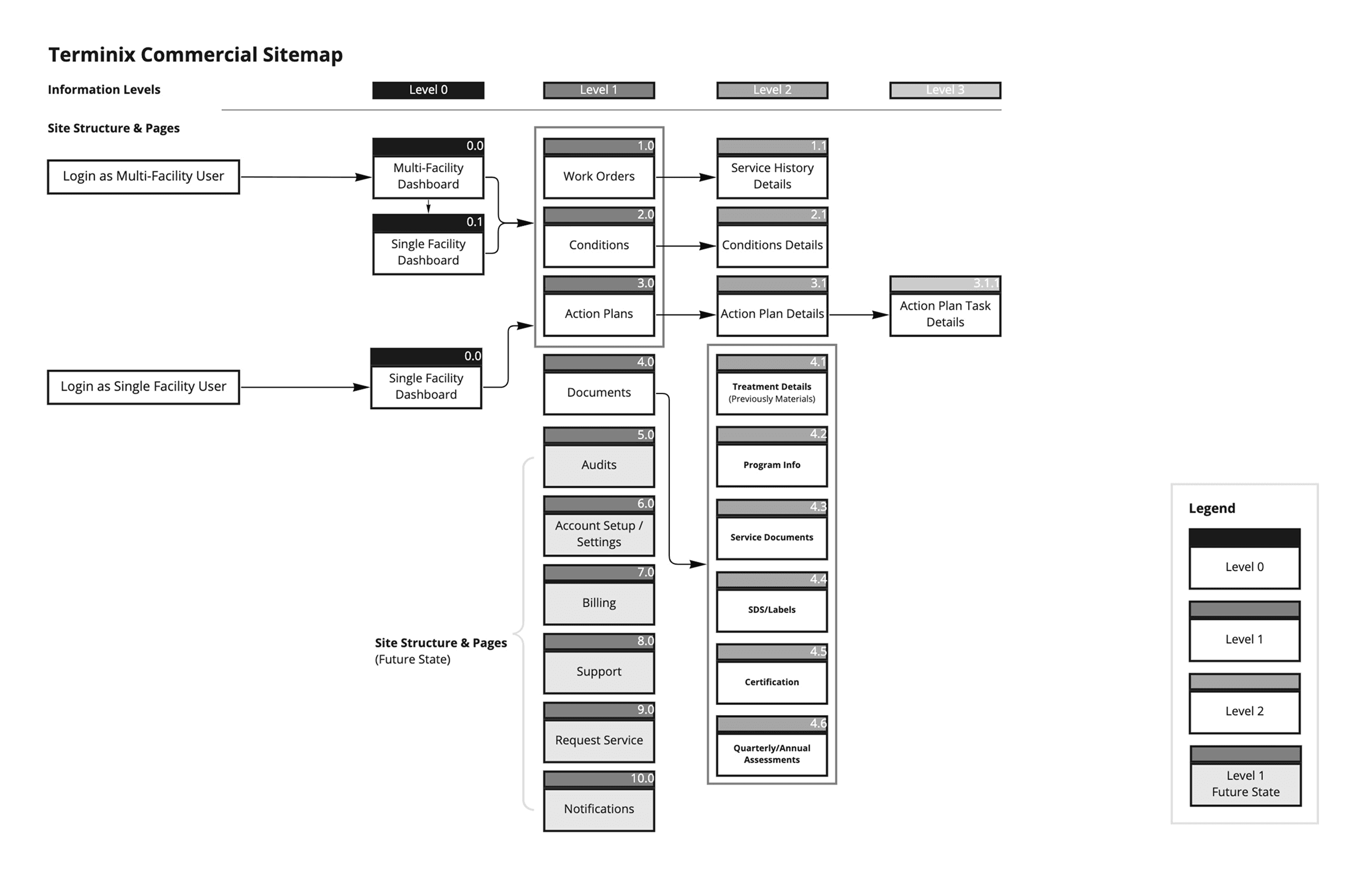
Our research had shown us that most key information was challenging to find in the existing platform, and the existing design was not action-oriented. Before digging into design, we proposed changes to the information architecture based on the following insights:
Data drill-down: Multifacility customers and their account representatives needed to be able to digest the most important, actionable information at the highest level, then drill down to better understand and troubleshoot issues.
Single-facility dashboard: Small business owners had much simpler needs than enterprise-level customers. We looked to simplify their experience by removing unnecessary layers of hierarchy and diving straight into the facility-level details.
Designing for scale: Especially for growing small businesses, we needed to design an information architecture that could seamlessly scale with their business.
03
Design
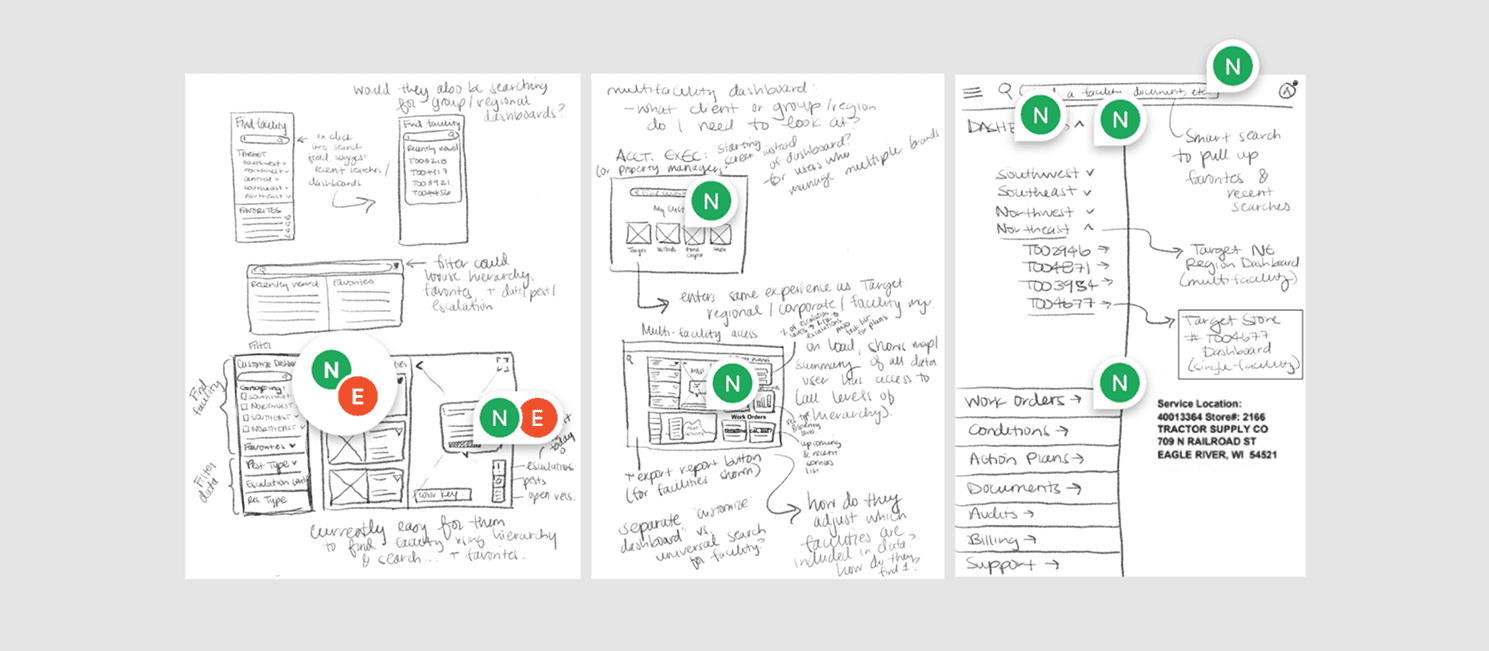
Initial sketches
Throughout the research process, we had been consistently sketching and revising potential concepts based on our developing understanding of business and user needs.
As the project unfolded, we prioritized fine-tuning the core screens that would serve as jumping-off points for the rest of the portal.
Actionable data visualization
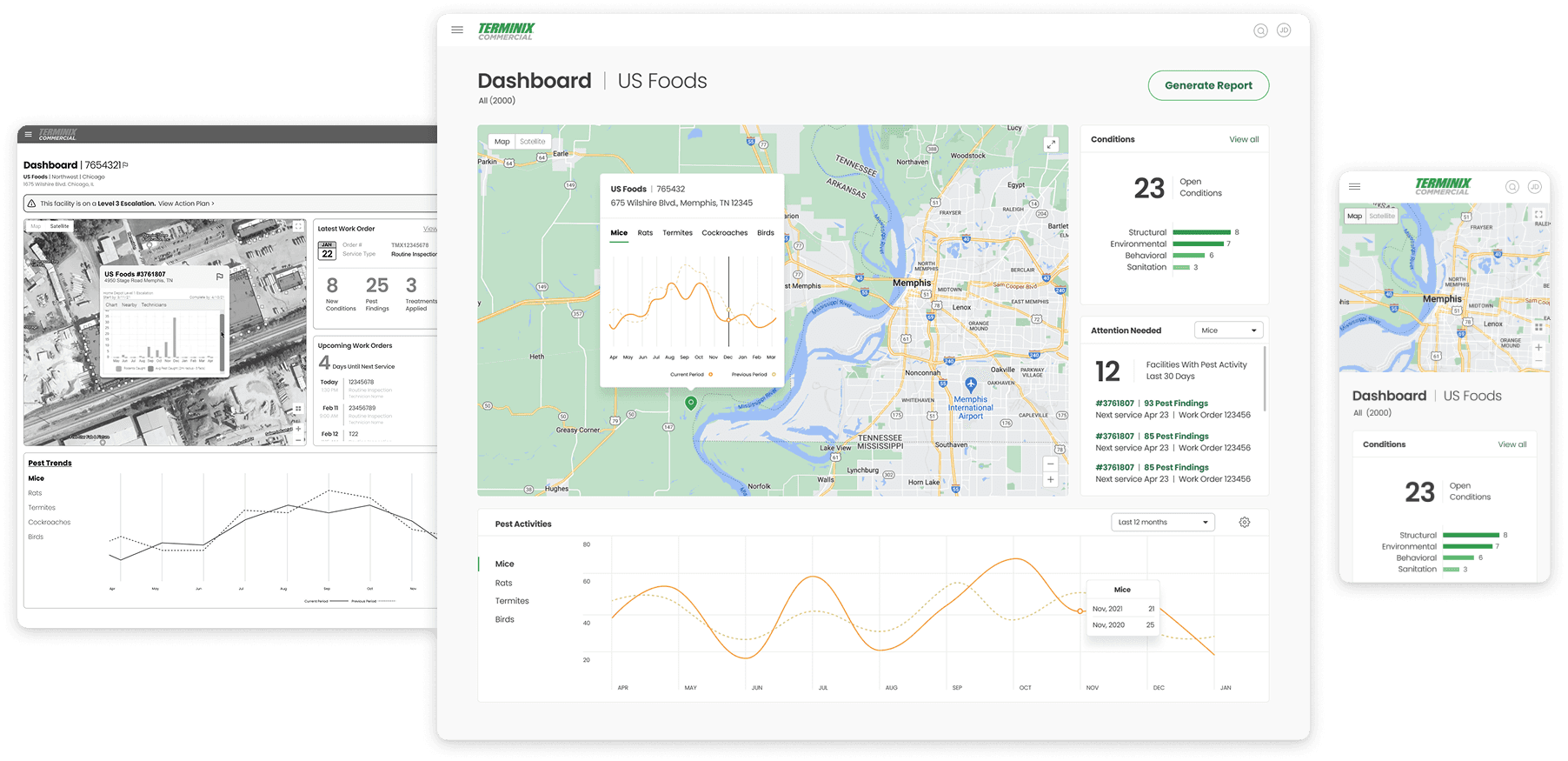
We used data visualization to help users quickly get a high-level view of pest issues at their facilities, with the option to drill down deeper as needed. We applied unobtrusive styling to create a clean, action-oriented interface.
This was especially valuable for bigger businesses with multiple facilities, where we could allow them to visually see:
Facility Conditions: Terminix inspectors would report on the most common issues at each facility (e.g. doors left open, holes in walls). By visually elevating those findings, we made it easier to identify issues and take action.
Pests: We used line charts to visualize regional pest trends, locate issues within specific facilities, and understand how those trends compared to the previous year.
Action Items: Previously buried in a cluttered UI, we emphasized which facilities needed closer attention based on the number of recent pest sightings reported by inspectors.
“Visualization for me is huge. It’s absolutely massive. And [drilling] down to the device number is so important to me because, where is [the issue] in the facility?”
“Someone running multiple food manufacturing facilities would probably care about trends. The guy running the taco stand just wants to change his service date and put in his credit card number without having to wait on hold.”
Catering to small businesses
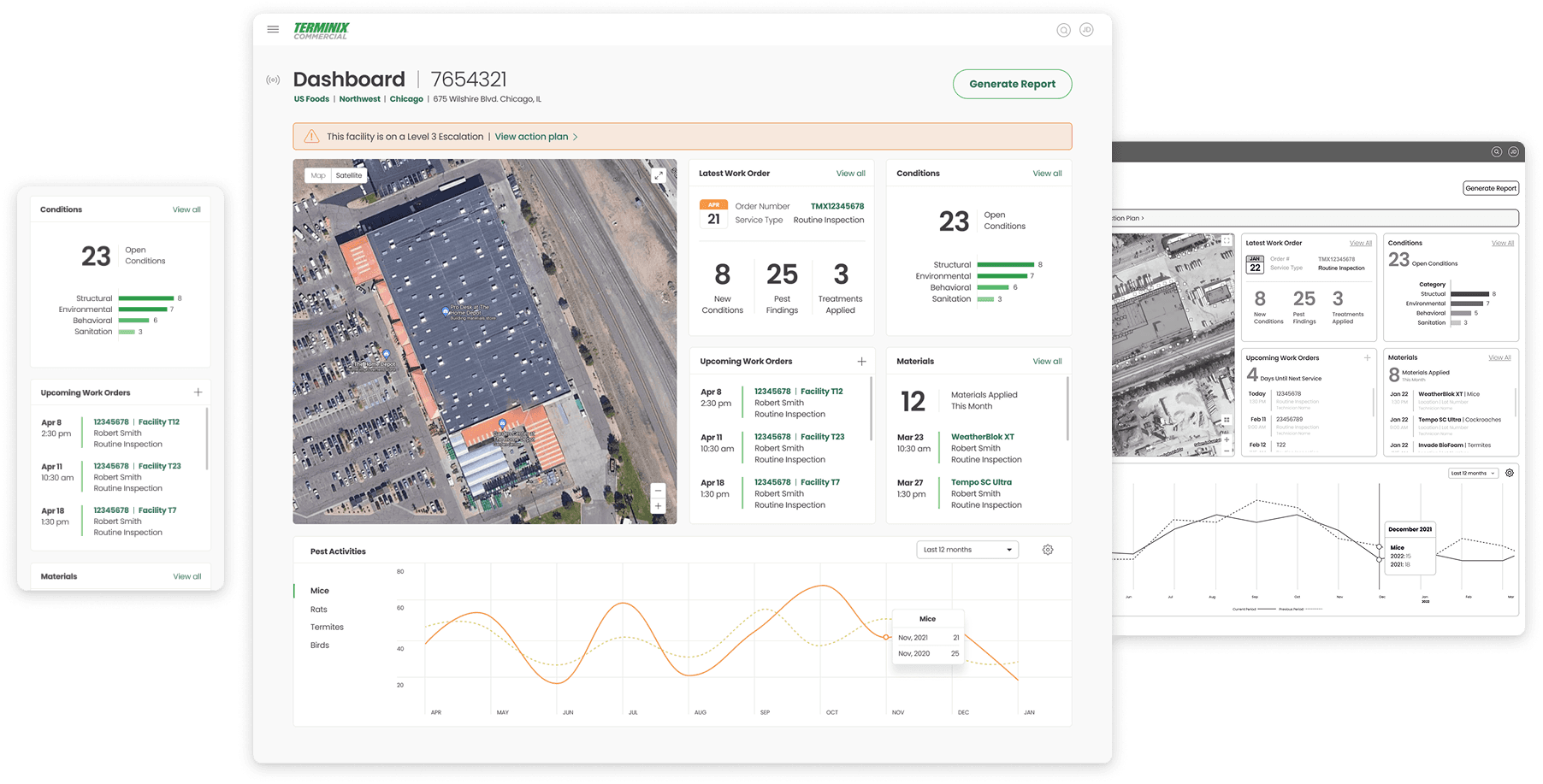
It became clear through our research that small business accounts had much different goals than large, multi-facility national accounts. As such, we were intentional about creating a flexible dashboard design that could scale as needed.
Building off a streamlined core experience for multi-facility national accounts, we introduced a simplified, single-facility dashboard tailored for small businesses.
This view allowed them to see just the most important information, with the ability to dig deeper if they needed to.
Designing flexible navigation
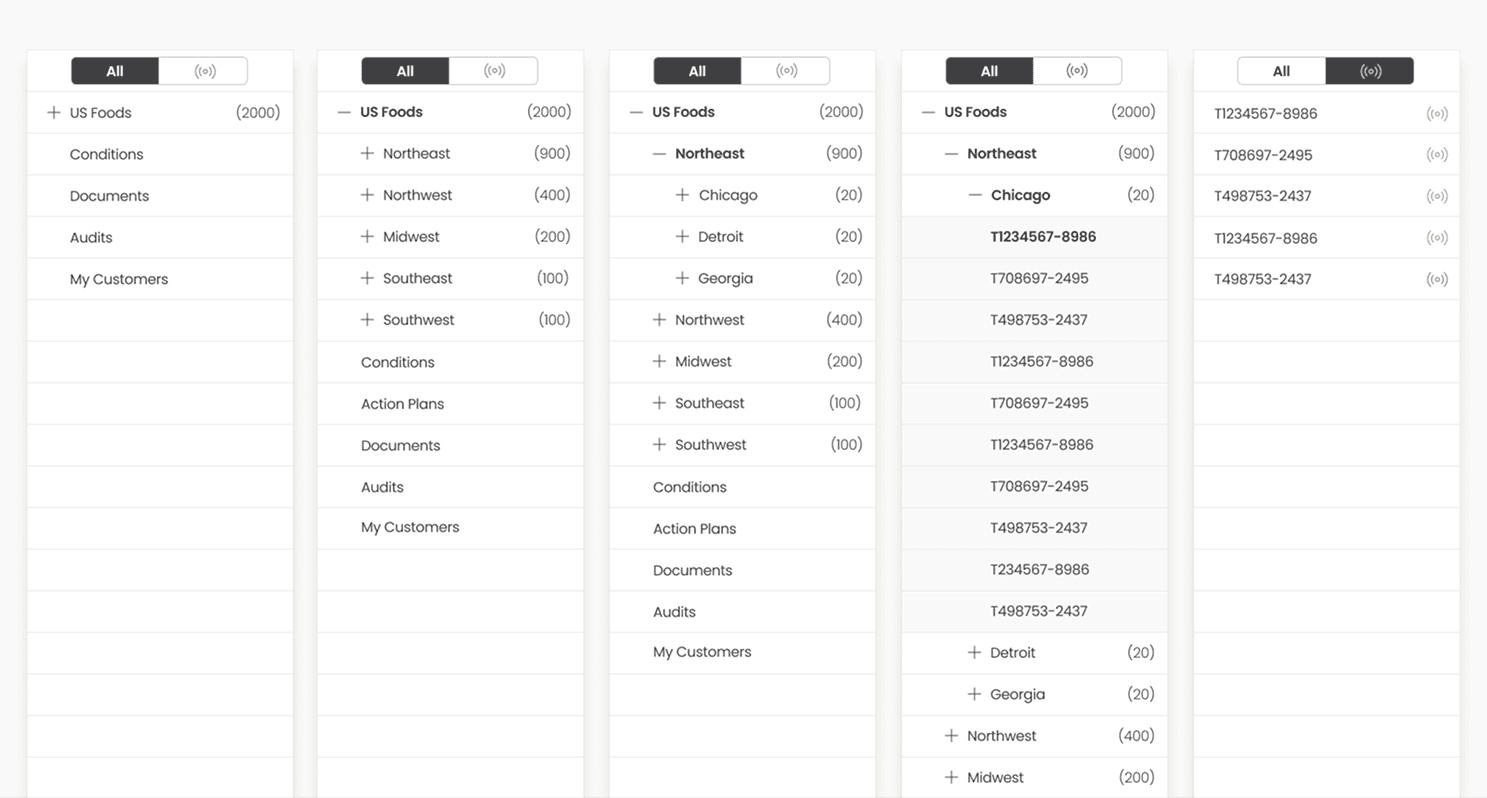
Designing the navigation was one of our biggest challenges with this project. Since each account is set up with a unique hierarchy to reflect their company’s organizational structure, facility folder structures vary wildly from one account to the next.
Ultimately, we decided to reflect their unique facility hierarchy in the core navigation. This allowed users to see how many facilities are in each group, focus on their “favorited” facilities, and drill down to regional or single facility dashboards.
Report generation
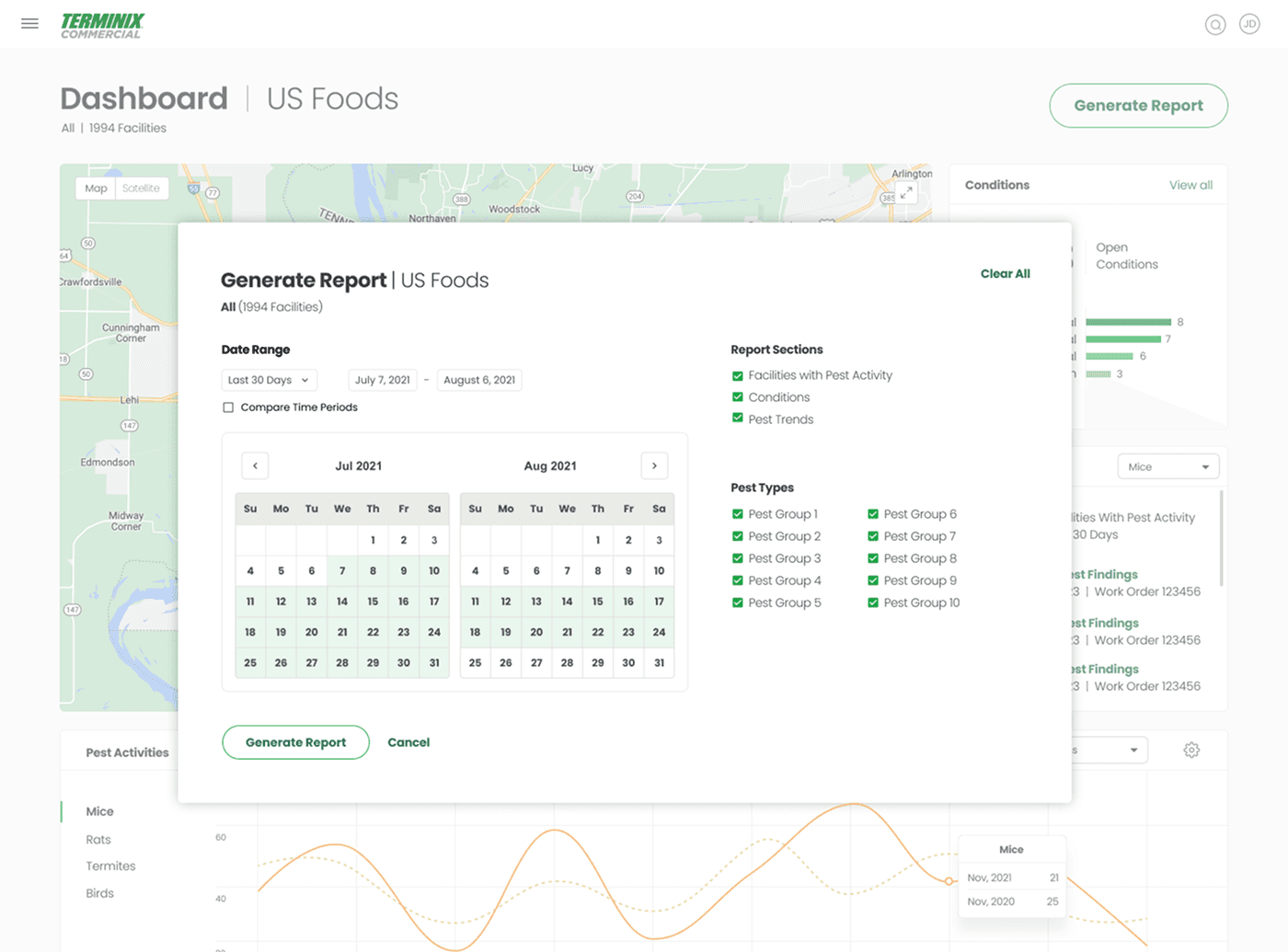
Lastly, to support Terminix account representatives, we introduced report generation functionality for selected pest issues and facility issues over a defined period of time.
This would allow Terminix representatives to quickly create custom reports, digest the information themselves, and then clearly communicate those issues with their commercial clients.
An important edge case: multi-account management
We had spent a lot of time thinking about multi-facility dashboards, but what about a multi-account view?
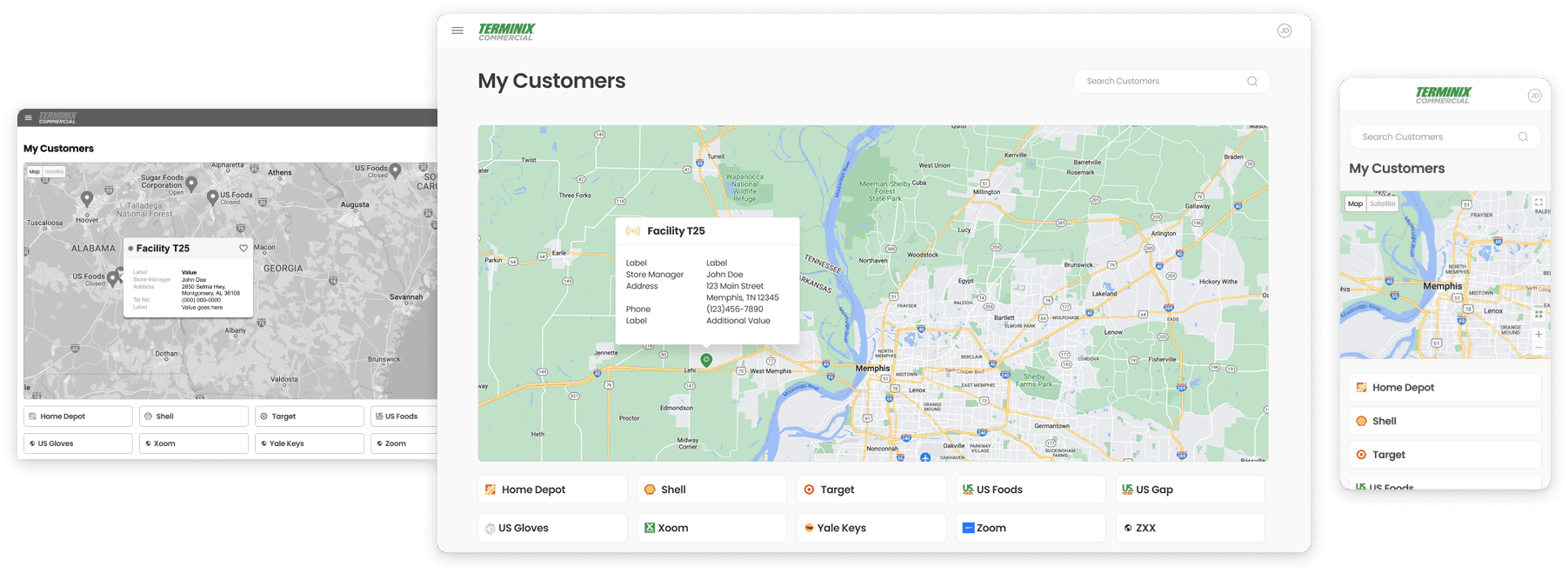
During our interview process, we learned that internal account representatives and external property managers keep tabs on multiple commercial accounts at once. These users wanted an easier way get an overview of multiple customers without having to log in and out of each account.
To address this, we designed a net new "My Customers" landing page to allow these users to browse their account list and navigate between individual accounts from a central location.
04
Launch & outcomes
Over the course of eight weeks, we redesigned the workhorse pages of Terminix’s commercial portal web application and provided the client with a reusable, scalable style guide.
The designs won Terminix's continued business and were used to attract new customers, strengthen customer loyalty, and increase revenue.
05
Retrospective
This project was my first experience rethinking an application from the ground up. I was able to take a system-level view and design for dramatically different user needs within a single product — from enterprise customers managing hundreds of facilities to small business owners with just one location.
Coming in as a consultant, I quickly built credibility and successfully advocated for user research that wasn't originally scoped. By quickly running proxy interviews with account reps, we gained fundamental insights that allowed us to implement a strategic redesign rather than just a visual refresh.
What went well
Successfully advocated for user research despite tight timelines
Maintained alignment with the client through regular design reviews
Efficiently divided UX/UI work, allowing me to focus on IA and core functionality while the UI designer handled visual polish
What I’d do differently
Push for more time to run interviews or prototype testing with real users
Investigate any available usage data to identify how different user groups were engaging with the existing product